• Skip to primary navigation
  • Skip to main content
  • Skip to primary sidebar

Jack and Mo

A Boutique Design Agency | Logo Design & Love For Your Brand.

  • Home
  • About
    • Kind Words
    • FAQ
  • Portfolio
    • Logo Designs
    • Brand Gallery
    • Brand Style Guides
  • Work Together
  • Shop
    • Custom Design Packages
    • The Logo Collection
  • Studio Articles
  • Say Hello
  • Cart

    What is Image Resolution?

    Art, Design Topics, Graphic Design, Understanding Graphic Design

    Image resolution is one of those things that trips up a lot of clients when they dive into design or printing projects. Why does your image look blurry when you enlarge it? Why can’t that logo be printed poster-size? The answers all come down to resolution. What is image resolution?

    Raster vs. Vector

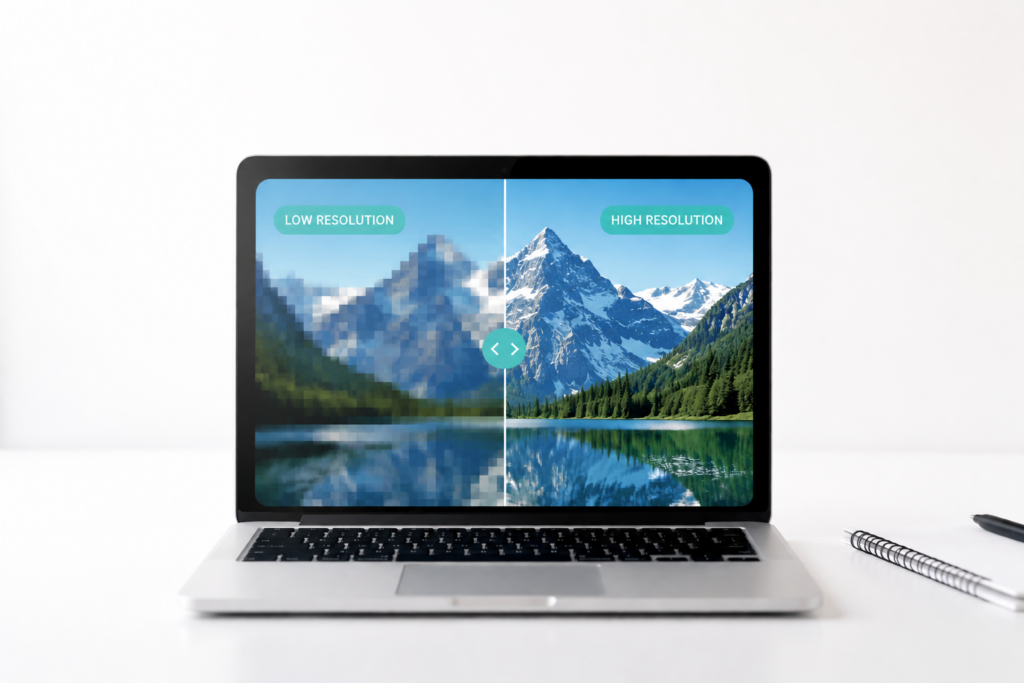
    Raster (or pixel-based) images are made up of tiny dots called pixels. Common file types include JPG, JPEG, PNG, TIFF, BMP, GIF, and RAW. Up close, a raster image looks like a grid of tiny squares; zoom out, and the dots blend together.

    When you zoom in, the individual pixels look like this- each square is a pixel.
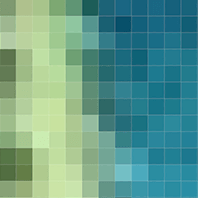
    Pixels up close and personal

    Pixel/rasterized image zoomed out

    When you zoom out, the same image looks like this:

    Pixels have a limitation: you can’t make them bigger without losing quality. The larger the pixels get, the blurrier the image becomes. You can always scale down a pixel image, but you can’t scale it up without losing clarity.

    Tip: Always keep the largest version of your file. Work from duplicates when editing so you never overwrite the original.

    Vector files are great for logos and designs that need to scale, but they aren’t always ideal. For photos or images with lots of detail, raster files like JPG or PNG handle colors and textures better.

    DPI and PPI

    • For print, aim for at least 300 dpi (dots per inch). Some professional printers may request 350+ dpi.
    • For web, 150 dpi is usually sufficient to reduce file size and improve load times. Retina screens can display over 300 ppi, so high-resolution files still look crisp online.
     

    Quick Fix

    Having pixel problems? Keep originals, use vector files when possible, and check your DPI/PPI before printing or uploading online.


    Need help getting your images print-ready or web-ready? Email us at hello@jackandmo.com for tips, tools, and expert guidance to make your graphics look crisp and professional every time.

     

    You might also like

    • Free Color Palette: Botanical Abstract

    • Detailed and Colorful Logos, Solutions for Making it Work

    • How To Name Your Business

      How To Name Your Business

    design file types, design tips, design workflow, digital vs print, dots per inch, dpi, file formats, graphic clarity, graphic design basics, image quality, image resolution, logo design, pixel-based, pixels per inch, ppi, printing graphics, professional printing, raster, raster vs vector, rasterized images, understanding graphic design, vector files, what is a pixel

    Primary Sidebar

    Studio Articles by Jack and Mo: Logo love, branding brilliance. Tips, tricks, and resources for logo design + branding. #creativemagic

    FROM THE STUDIO

    Logo love, branding brilliance.

    Tips, tricks, and resources for logo design + branding. #creativemagic

    Recent Posts

    • The Art of Creating a Brand Color Palette
    • How to Create Beautiful Color Palettes From Any Image
    • The Best Websites to Explore Color
    • What is a Logo, Really? (and What Makes One Great)
    • How to Create the Perfect Brand Identity
    • What Is a Brand Style Guide — and Why Does It Matter?
    • How to Make Your Brand Identity Memorable
    • How to Match Paint Colors to Your Branding
    • Need a Website but Have Limited Cash Flow? How to Get Started on the Web
    • Why Pinterest Can Be Bad for Branding
    • Gold Foil is Stunningly Beautiful! But How Do You Print it?
    • What is Image Resolution?
    • Email
    • Facebook
    • Instagram
    • Pinterest

    • Home     About     Portfolio     Work Together     Shop     Studio Articles     FAQ     Policies     Contact


    DESIGNED BY JACK + MO
    © 2008 - 2026